Voice in.
Clean text out.
A private Windows workspace to record or import media, transcribe it locally, refine every word, and export a finished document. Nothing leaves your computer.
Everything between raw audio and final copy.
Capture, processing, editing, versions, and delivery in a single desktop experience.
MIC
Record from the right microphone
Open the recording modal, watch live input level and elapsed time, and pick a built-in or external microphone before you start.
RUN
Know exactly what is happening
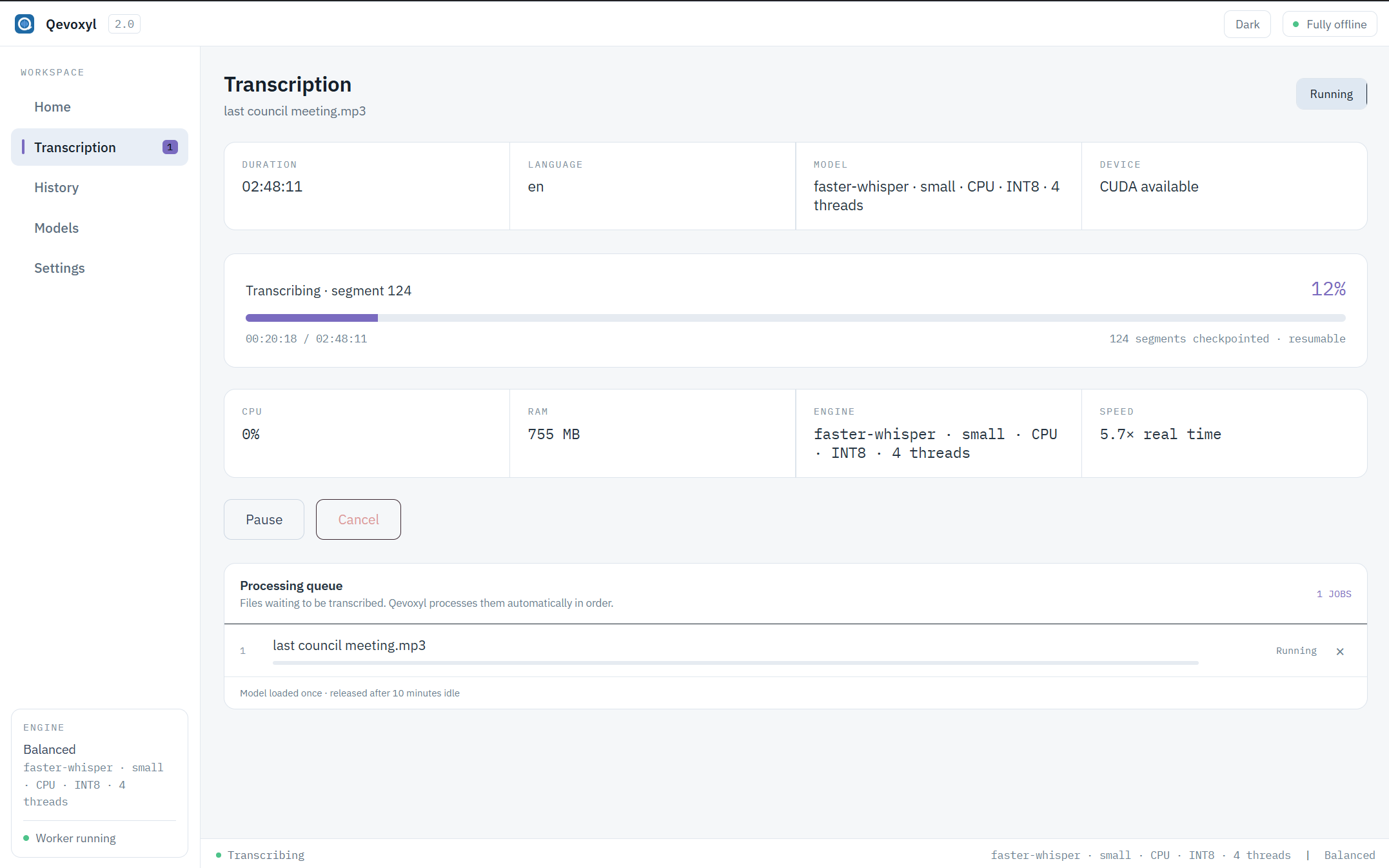
Stage-aware status shows only the current state: progress, checkpoints, processing speed, CPU, RAM, pause, cancel, resume.
TXT
Work with the transcript
Play against the waveform, jump five seconds, adjust speed, edit timestamped or full text, find and replace, undo, review uncertainty.
OUT
Deliver a polished export
Export original, cleaned, translated, or bilingual text to TXT, SRT, VTT, JSON, DOCX, or PDF with Qevoxyl branding.
Long recordings stay understandable.
- 1Choose mediaAudio, video, or a fresh recording
- 2Set the jobLanguage, model, device, and advanced options
- 3Watch it runLive segments, progress, metrics, and checkpoints
- 4Review and exportEdit, clean, translate, and deliver
Powerful without becoming complicated.
Your original is always preserved.
Create cleaned, English, and bilingual versions without overwriting the source. Switch the copy you read or export from one panel.
Install only what you need.
Qevoxyl reports storage, hardware fit, download state, and a recommendation for your computer.
Drop a batch and let it move.
Files run sequentially through one loaded model. Active and waiting jobs stay together with pause, cancel, and remove.
Guardrails for mixed-script output.
Language validation catches suspicious mixed-script recognition and keeps noisy recordings from turning into unreadable text.
History and logs live inside the app.
Search completed work and inspect diagnostic logs without leaving Qevoxyl. Both views paginate.
See the complete interface.
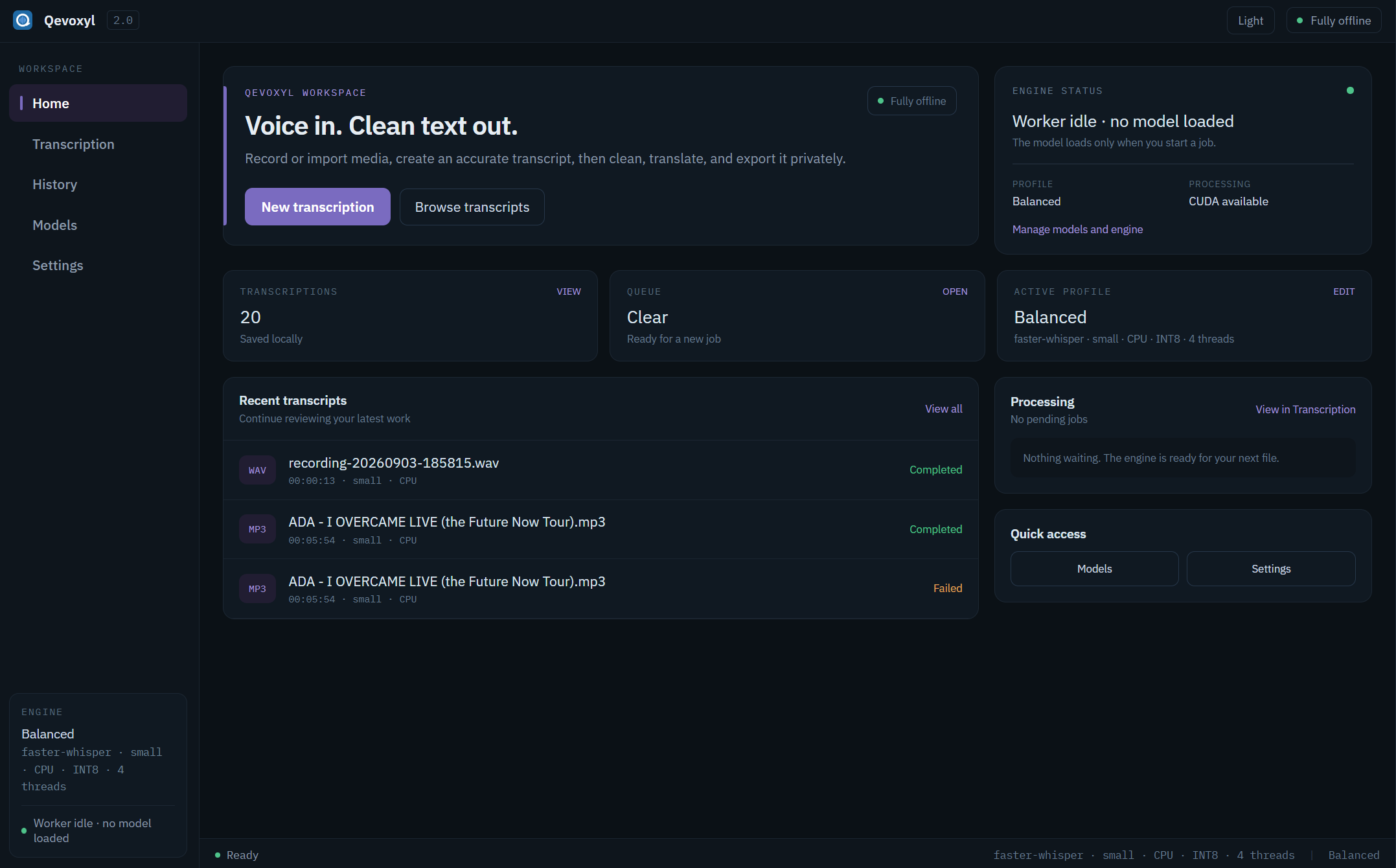
Home workspace
Start new work, revisit recent transcripts, and read engine state at a glance. Recent jobs stay local to your machine.
A transcript can become a real deliverable.
DOCX and PDF exports include the Qevoxyl logo and a restrained document watermark.
Your voice belongs on your computer.
Transcription, cleanup, editing, and Whisper translation run locally. Models load only when a job needs them, and your library stays in your local Qevoxyl data folder.
Before you install.
Does Qevoxyl need the internet?
Transcription and transcript editing work locally. Internet access is needed only when downloading a model for the first time. Strict Offline mode can block network access entirely for confidential recordings.
Which media files can I use?
MP3, WAV, M4A, AAC, FLAC, OGG, OPUS, WMA, MP4, MKV, MOV, AVI, and WEBM. FFmpeg normalizes media before transcription.
Can I use an external microphone?
Yes. The recording modal lists available Windows input devices, so you can choose a built-in microphone, USB microphone, audio interface, or another connected input.
What happens to the original transcript?
It stays preserved and editable. Cleanup and English translation create separate stored versions, and a bilingual view pairs the original with its English translation.
Where does Qevoxyl store my data?
Under %LOCALAPPDATA%\Qevoxyl\ — the database, recordings, model cache, exports, and diagnostic logs.
Start with Qevoxyl 2.0.2.
A single per-user installer places everything where it belongs. No administrator account is required.